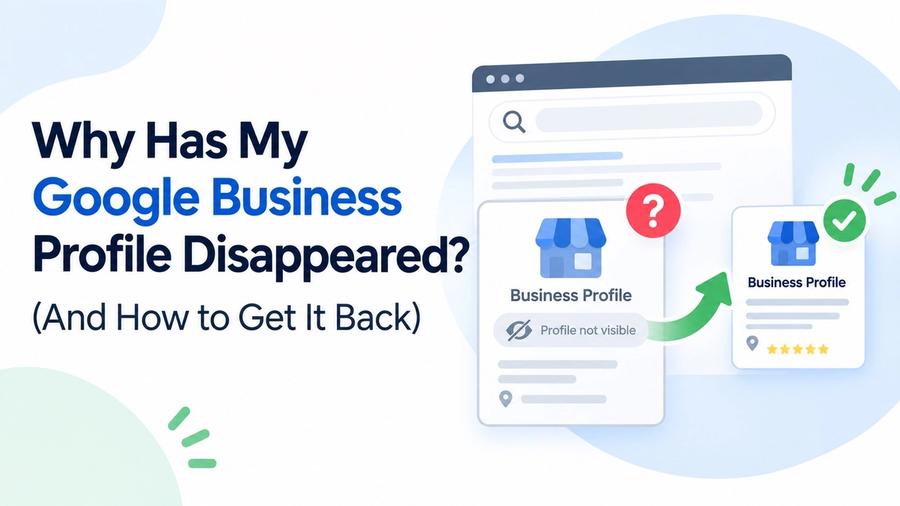
If your Google Business Profile has suddenly vanished no warning, no explanation, just gone from Google Maps and Search you're dealing with one of two things: your profile was suspended, or it (or the Google account that owns it) was accidentally deleted. Both are fixable. Neither is as rare as you'd think.
TL;DR
- A disappeared Google Business Profile is almost always caused by one of two things: a suspension, or an accidental deletion tied to an account or email change.
- Suspensions come with a notice in your dashboard or inbox. Accidental deletions usually don't — you just log in one day and the listing is gone.
- Changing the email address or Google Workspace setup tied to your listing's owner account is one of the most common, least understood ways a profile disappears without any warning.
- If Google support can't restore your original listing, your CID number is what lets them transfer your old reviews and history to a new one.
- Save your CID number somewhere safe today, before you ever need it. Once a listing is gone, finding it again takes real digging.
The Two Real Reasons a Google Business Profile Disappears
Every case we've seen comes down to one of two root causes. Figuring out which one you're dealing with is the first step, because the fix is different for each.
Reason 1: Your Profile Was Suspended
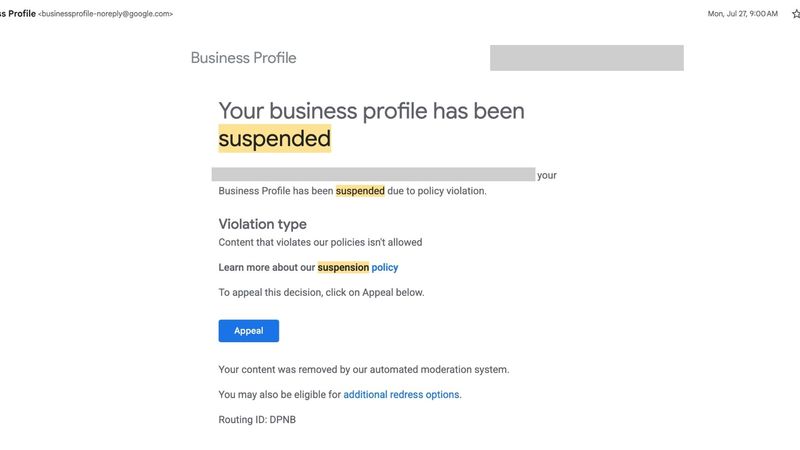
Google suspends a Business Profile when it believes the listing violates its guidelines inaccurate information, an ineligible business type, or sometimes just an automated system flagging something incorrectly. A suspended profile disappears from Maps and Search until the issue is reviewed and resolved, and Google typically sends a notice to the account's dashboard or the owner's email when this happens.
Suspensions aren't limited to obvious policy violations, either. Making certain changes to the Google account tied to your listing especially the primary owner's email can trigger a suspension on its own, even if nothing about your business information actually changed.
Reason 2: Your Profile (or Its Owner Account) Was Accidentally Deleted
This is the version that catches people off guard, because there's no notice, no warning message, nothing in your inbox. You log into your Google Business Profile dashboard one day and the listing simply isn't there anymore.
This happens more often than most business owners realize, and it's almost never intentional. It's usually the side effect of something else entirely: an email provider migration, a change to how a company's Google Workspace is structured, or an account cleanup that swept up more than it was supposed to. A business can be actively ranking, collecting reviews, and generating calls one week, and be completely invisible the next not because anything was wrong with the listing, but because the account underneath it changed in a way Google's systems interpreted as an entirely new identity.
How an Account Change Can Silently Delete Your Listing
This is the mechanism worth understanding, because it's almost always preventable.
A Google Business Profile isn't owned by your business it's owned by a specific Google account. When that account is deleted, merged, restructured, or replaced, Google doesn't always treat the listings tied to it as something to preserve. If an email provider migration accidentally deletes the underlying Google account, every listing tied to it can disappear along with it. If a company reorganizes its Google Workspace changing which organizational unit or group an account belongs to Google can treat the "same" email address as an entirely new account, and every profile that account managed gets cut loose.
The practical takeaway: the Google account tied to your listing's ownership should be treated as close to untouchable as possible. Don't fold it into an email migration. Don't restructure it as part of a broader Workspace cleanup. Don't hand primary ownership to an employee's personal account that might get deactivated when they leave. Keep it separate, stable, and boring the digital equivalent of not touching the thermostat.
How to Tell Which One Happened to You
Before you can fix it, confirm which situation you're actually in:
- Check your Google Business Profile dashboard and email for any suspension notice. If one exists, you're dealing with a suspension, not a deletion.
- Search your exact business name on Google Maps and in regular Google Search. If nothing comes up at all and you never received a suspension notice, an accidental deletion is more likely.
Check whether anyone with access made recent changes to the account, email, or Workspace setup tied to the listing. A deletion that lines up with an account change is a strong signal of what happened.
How to Get a Disappeared Google Business Profile Back
- Contact Google Business Profile support directly and ask them to look into reinstating the original listing. Support can often locate and restore a listing that's disappeared, especially if you can provide details about when it went missing and what changed around that time.
If the original listing can't be restored, your next option is to create a new Google Business Profile for your location, then contact support again with your old listing's CID number and ask them to transfer your reviews and history from the old listing to the new one. This is why having that number matters — without it, support has a much harder time connecting your new listing back to your original one, and you risk losing reviews and ranking history built up over years.
If your profile shows an actual suspension notice rather than having vanished outright, that's a different process — our Google Business Profile Reinstatement Service walks through the diagnosis-first approach that gets suspended profiles back online, including cases where a previous appeal was already rejected.
What Is a CID Number, and Why You Need It Before You Ever Need It
A CID is a unique numeric identifier Google assigns to a specific Maps listing. Think of it as the listing's fingerprint even if the profile disappears from public view, the CID is how Google's own systems can still identify which listing you're talking about internally. When you ask support to restore a listing or transfer its history to a new one, the CID is what lets them do that with confidence instead of guessing based on a business name that might match several listings.
The problem is that most business owners never write this number down, because there's never an obvious reason to until the listing is gone and they need it.
How to Find Your CID Number After the Listing Has Already Disappeared
If your listing is still live, getting the CID is straightforward — it's embedded in the Google Maps URL for your business. Once a listing has disappeared, though, you need to look for it somewhere it was captured before that happened:
- Rank tracking or local SEO management software. If your listing was ever added to a rank tracker or GBP management tool, the CID is usually saved in that tool's records, and stays there even after the live listing disappears.
- Old email notifications from Google. Past emails about your listing — review notifications, performance summaries, verification confirmations — often contain a dashboard link with the CID embedded in it.
- Old social media posts. If you ever shared a direct link to your Google Maps listing on Facebook, X, or elsewhere, that link may still contain the CID even though the listing itself no longer resolves normally.
- Website embed code. If you ever embedded a Google Map of your location on your website, the embed code itself typically contains the CID, and that code stays in your site's source even after the live listing disappears.
Old marketing materials. Printed materials, QR codes, or email signatures that once linked directly to your Google Maps listing can be another source worth checking — the link doesn't stop existing just because the listing behind it did.
Prevent This From Happening Again
- Keep the Google account tied to your listing's ownership separate and untouched. Don't fold it into email migrations, Workspace restructuring, or general account cleanup.
- Use manager-level access for employees and agencies, not primary ownership, so a staffing change or account cleanup elsewhere doesn't take your listing down with it.
- Save your CID number today. While your listing is live, it takes thirty seconds to find in your Maps URL. After it disappears, it can take hours of digging or you may not find it at all.
Keep a simple record of who owns and manages your profile, including the account email, so a account change never turns into a mystery about who has access to what.
If you're not sure whether verification issues on a new or replacement listing could be part of your situation, our Google Business Profile Verification Service covers exactly what a fresh listing needs to get through verification cleanly the first time.