





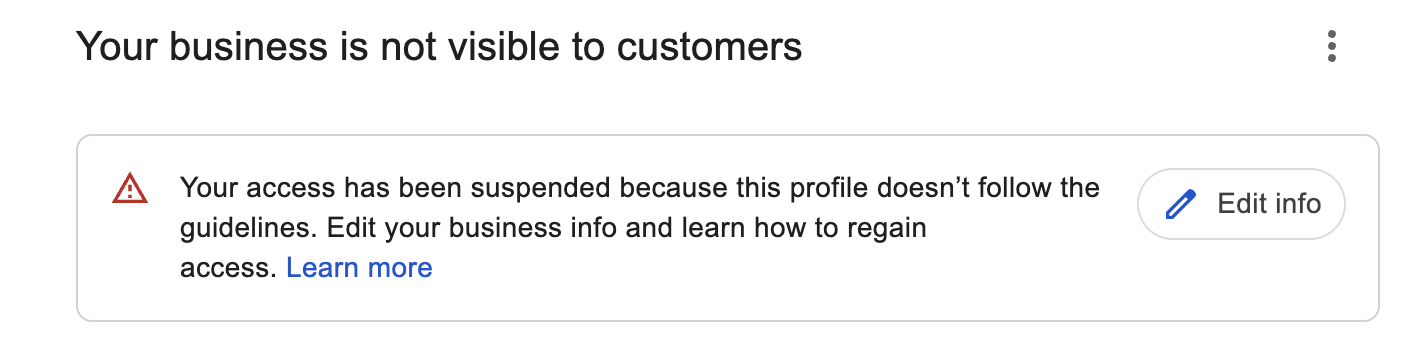
A Google Business Profile suspension is one of the most stressful things that can happen to a local business. Yesterday you were showing up on Google Maps and the phone was ringing. Today the listing is gone, or you can't log in to manage it, and the email from Google doesn't really tell you why.
We've been fixing this problem for a long time. Over seven years working inside digital marketing agencies in the USA, reinstating suspended profiles was part of our everyday work, and we've handled more than 1,000 Google Business Profiles across reinstatements, verifications, pending edits that never go live, and local rankings. On the cases we accept, our success rate is 99%.
That number isn't luck. It comes from being honest at the very start. Before we take a case, we ask the questions that tell us whether your profile can actually be reinstated. If it can't, we tell you, and you don't pay a cent.
Soft Suspension or Hard Suspension: Know Which One You Have
Not every suspension is the same, and the difference changes how urgent your situation is.
A soft suspension means your listing still appears on Google Maps and Search, but you've lost the ability to manage it. You can't reply to reviews, update your hours, or add photos. Customers can still find you, so there's no panic, but it still needs fixing. In our experience, the most common cause of a soft suspension is that one of the Google accounts connected to your profile (an owner, a primary owner, or a manager) got flagged. Finding that account is usually the key to getting the profile back.
A hard suspension means the listing has disappeared from Google Maps and Search completely. Nobody searching for your service can find you, and new customers go straight to your competitors. This is where every day counts. With hard suspensions we audit the whole profile very carefully, word by word, field by field, because one small leftover problem is enough to get an appeal rejected.
The Most Common Reasons Google Suspends a Profile
Google rarely tells you the exact reason. These are the causes we see most often, in order.
1. A Google account connected to your profile got flagged
Every person with access to your profile, whether owner, primary owner, or manager, uses a Google account. If Google flags one of those accounts, the profiles it manages can be suspended with it. Google doesn't always say why an account gets flagged, but common triggers include using that account to suggest edits to other businesses, adding a business in a city where it doesn't exist, or changing business details that Google considers inaccurate. Sometimes it happens even when the edits were correct. That's why a former employee, an old agency, or a freelancer who still has access can put your profile at risk without you knowing.
2. The profile was verified the "easy" way
Many owners are thrilled when Google lets them verify by email, by phone, or instantly, with no video at all. We understand why. But in our experience, profiles verified this way are far more likely to be suspended a few months later, even when the business is completely real and has a genuine office. Easy verification isn't proof to Google, it's a placeholder. Our advice is simple: whenever video verification is offered, choose it. It's more work on the day, but it gives your profile a much stronger foundation.
3. Keywords in the business name
If your Google Business Profile name isn't your real world business name, the one on your signage, your licence, and your invoices, the risk of suspension is very high. "Smith Plumbing" is fine. "Smith Plumbing Emergency Plumber 24/7 Downtown" is the kind of name that gets profiles taken down. We explain this in more detail in our guide on how to reinstate a suspended Google Business Profile.
4. The wrong category
Choosing a category that doesn't describe what your business actually does, or adding categories just to show up in more searches, is a common trigger. Your categories should match your real services.
5. Too many edits right after a reinstatement
This one surprises people. A profile gets reinstated, and on the same day the owner changes the name, updates the address, adds categories, and edits everything at once. Google sees a burst of changes on a profile it just reviewed, and the suspension comes straight back. After a reinstatement, slow and careful is the rule.
Also common
- An address where you don't actually serve customers, like a virtual office, a coworking desk you rarely use, or a mailbox
- Duplicate listings for the same business
- Showing a home address on a profile that should be set up as a service area business
Before We Take Your Case: The Questions We Always Ask
The first thing we ask every new client is simple: do you have a real office at the address on your profile, and do you accept customers there?
If the address is shown publicly but you don't have an office there, or customers can't walk in, then no appeal will get that address back on the map. In that case the right move is to convert the profile to a service area business, which hides the address and shows the areas you serve instead. That's a legitimate fix, and it's often the fastest way back.
If you do have a real office and everything checks out, we review your case. If our experience tells us it's winnable, we take it. If it isn't, we tell you honestly. This is how we keep our success rate at 99%: we only take cases we believe we can win.
Cases we don't take: fake addresses, businesses that don't really exist, businesses that can't get a licence, and anyone asking us to submit fake or edited documents. We won't do it, and Google can tell.
The Evidence Google Actually Accepts
Strong evidence is what wins an appeal. These are the five types of proof Google most reliably accepts:
- Photos of your business, including permanent exterior signage with your real business name
- A video walkthrough that starts at the street sign and continues to your door, your signage, and inside your office
- A business licence showing your exact business name and address
- A utility bill in the business name, at the address on your profile
- Tax documents or certificates with the same business name and address
An office lease or insurance documents can help as supporting evidence, especially when they show your exact business name and full address. But they're not the main documents, and on their own they usually aren't enough.
The golden rule: every document must match your profile exactly. Same business name. Same address. Same spelling.
Why Reinstatement Appeals Get Denied
Most denied appeals we're asked to rescue were rejected for avoidable reasons:
- The documents don't match. The utility bill shows an old address, or the licence shows a slightly different business name than the profile.
- The real problem was never fixed. The wrong category is still there, the address is still written incorrectly, or the name still has keywords in it. The owner sent documents without fixing the profile first.
- Nobody read the guidelines. Google's guidelines for representing your business are clear about names, addresses, and categories. An appeal that ignores them is unlikely to pass.
One more thing every owner should know: appeal attempts are limited. You don't get unlimited tries. That's why every submission has to be right before it's sent, not after.
The Reinstatement Process We Follow
- Screening. We confirm your office, your walk in customers, and your documents before accepting the case.
- Full audit. We go through your profile word by word: name, address, categories, service areas, hours, the accounts with access, recent edits, and your website and directory listings.
- Fix first. We correct every problem before anything is submitted. If the address can't be shown, we convert the profile to a service area business.
- Evidence preparation. We tell you exactly which photos, video, and documents to collect, and we check every one of them for mismatches.
- The appeal. We submit a clean, complete appeal through Google's official process.
- Follow up and escalation. If the first decision is a rejection, we don't stop. We prepare a stronger case and appeal the decision. If that's rejected too, we post the case in the Google Business Profile Help Community, where a Diamond Product Expert can escalate it to Google's team for human review.
Please don't touch your profile while we work
The most damaging thing an owner can do during an appeal is edit the profile, or submit an appeal of their own without telling us. Changing business details mid appeal, or using up an appeal attempt on your own, can ruin a case that was on track to win. While we're working, leave the profile exactly as it is.
How Long Does Reinstatement Take?
Google's timing varies a lot, so here are the honest ranges we see:
- First response from Google: usually 3 to 7 business days. Sometimes it comes in 2 days, sometimes it takes up to 14.
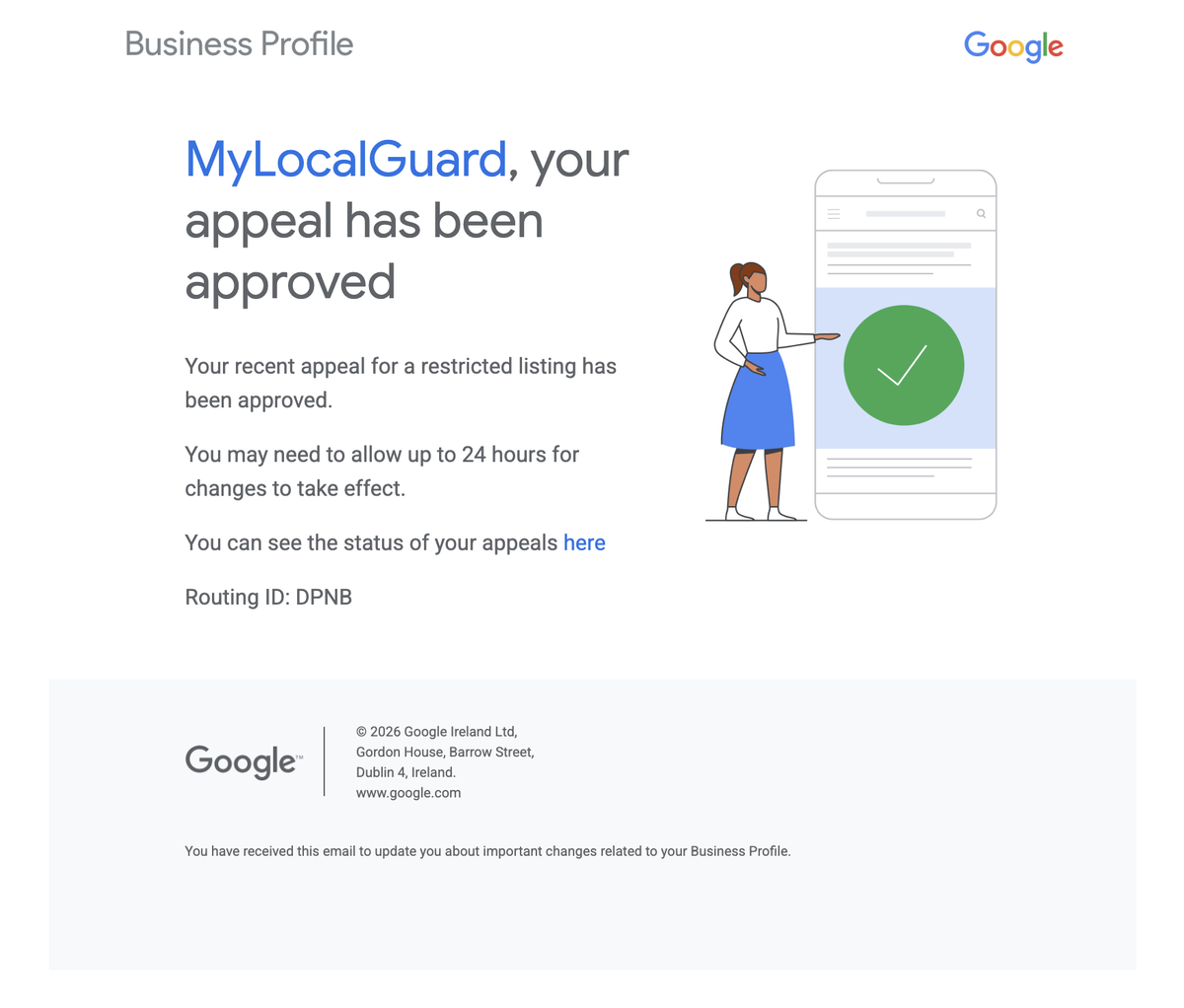
- Once Google approves the appeal: the listing usually goes live the same day.
- If the first appeal is rejected: we appeal the decision, which can take another 7 to 14 business days.
- If that's rejected too: escalation through the Help Community to human review can take 7 to 30 business days.
That escalation is the worst case, and it's still a path forward, not a dead end.
Pricing and Refund Policy
We offer two service tiers. The Standard service at $349 is for profiles where no prior appeal has been submitted. The Previously Denied service at $499 is for profiles where at least one appeal has already been rejected. Both tiers operate on a true pay-after-success model. You pay nothing until your Google Business Profile is live on Google Maps again. If reinstatement fails after exhausting every available path, you owe nothing, full stop. No hidden fees, no conditions.
Before you pay anything, we review your submission. If we look at your case and believe it is not winnable, we will tell you that before you pay and explain why. We only take on cases we believe we can win.