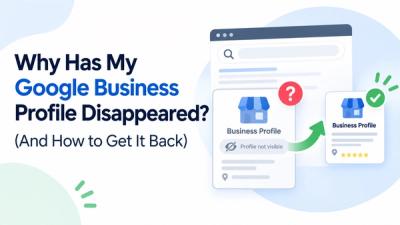
Your Google Business Profile goes down. The phone stops ringing within hours. Customers who have been finding you on Google Maps for years suddenly cannot find you anywhere. If this is happening right now, the most important thing to understand is that this is fixable but only if you follow the right sequence and avoid the mistakes that turn a recoverable situation into a permanent one.
This guide is written specifically for plumbers, HVAC contractors, electricians, roofers, landscapers, and other home service businesses. Your industry faces a higher suspension rate than almost any other category on Google Maps. That is not an accident. Trades and home services have historically been targets for fake listings and spam operations, so Google's automated enforcement systems treat them as high-risk categories. The result is that legitimate businesses with real customers, real addresses, and real licenses get caught in enforcement sweeps that were designed to catch fraudulent ones.
What follows is how the reinstatement process actually works in 2026, based on what gets appeals approved and what gets them denied.
First, Understand What Kind of Suspension You Are Dealing With
There are two types of Google Business Profile suspension and they behave differently.
The first is what practitioners call a soft suspension. Your listing is still visible on Google Maps and appears in search results, but you have lost the ability to manage it. You cannot respond to reviews, update your business hours, change your phone number, or make any edits. The listing is frozen in place. Customers can still find and call you, but you have no control over what they see. Soft suspensions typically happen after sudden large-scale changes to the profile and are generally the more straightforward category to resolve.
The second type is a hard suspension. The listing disappears entirely from Google Search and Google Maps. If someone searches your exact business name, nothing comes up. If someone searches for a plumber or an HVAC company in your service area, you are not in the results. For home service businesses where Google Maps is the primary source of inbound calls, a hard suspension cuts revenue immediately and completely.
Log into your Google Business Profile dashboard and look at the listing status. If it shows a red banner saying suspended and the listing is still visible on Maps, you are dealing with a soft suspension. If the listing does not appear anywhere on Maps even when you search your exact business name, you are dealing with a hard suspension and need to treat it accordingly.
Before you do anything else, stop making changes to your profile. This is the instruction most business owners ignore, and ignoring it costs them weeks. Edits made after a suspension can reset the review timeline or give Google's system additional signals that something suspicious is happening. Leave the profile exactly as it is until after you have submitted your appeal.
Finding the Actual Cause Before You Do Anything Else
Google's suspension notice is intentionally vague. The email comes from businessprofile-noreply@google.com and says something like "your profile has been suspended for quality issues" without telling you which specific guideline was violated. This is the most frustrating part of the entire process.
It is also the most important step to get right, because submitting a reinstatement appeal without correctly identifying and fixing the actual violation is the single most common reason appeals fail. The reviewer looks at your profile, sees the same problem still there, and denies the request. You have wasted your appeal opportunity and narrowed your options.
For plumbers, HVAC companies, and home service contractors, the violations that trigger suspensions follow recognizable patterns.
Keyword stuffing in the business name is the leading cause of suspension in the trades. If your Google Business Profile name says something like "ABC Plumbing Fast Emergency Service Licensed Insured" when your actual registered business name is "ABC Plumbing LLC," that is a direct violation of Google's guidelines for representing your business. Google requires that the name on your profile match your real-world business name exactly as it appears on your contractor's license and official registration. Adding service keywords, city names, response time claims, or any descriptors beyond your actual business name gets profiles suspended quickly, and home service businesses have historically done this more than any other category which is why Google's systems look for it aggressively.
Address violations affect service area businesses more than any other type. HVAC companies and plumbers frequently travel to customers rather than having customers come to a physical location. Google has specific rules for this. If your profile lists a residential home address as a customer-facing storefront, or if you list a virtual office, a UPS Store mailbox, or a shared co-working desk as your business address, the listing will be suspended. Service area businesses should be configured to hide the physical address from public view and define their service coverage area instead. The hidden address still needs to be a real, verifiable location for Google's verification purposes.
Duplicate listings cause more suspensions than most business owners realize. Previous marketing agencies sometimes create a Google Business Profile under their own Google account on behalf of a client. When that relationship ends, the agency-owned listing remains active alongside any listing the business owner later creates. Two listings for the same business at the same address creates conflicting signals that Google treats as spam. The suspension may affect one listing, both listings, or it may affect your profile because of a duplicate you did not even know existed.
Major profile edits in a short window trigger automated review reliably. Changing your business name, address, phone number, and category within the same editing session looks like suspicious activity to Google's fraud detection systems. Any one of those changes can trigger scrutiny. All four together almost certainly will.
Manager account issues catch businesses off guard. If a marketing agency manages your profile and their Google account gets suspended for violating Google's policies across any of the accounts they manage, your listing gets suspended as a result even though you personally did nothing wrong. This happens more often than it should and is one of the hardest situations to explain in an appeal because the violation technically occurred on an account you do not control.
Fixing the Violation Completely Before Touching the Appeal Form
Once you have identified the likely cause, fix it fully before you open any appeal process. If you submit an appeal while the violation is still present in your profile, the review team will find it and deny the request.
If the issue is your business name, edit the name field to match your official registered business name exactly. The name on your contractor's license, your business registration with the state, your bank account, the sign on your truck. Exactly that. If your legal name is "Smith HVAC LLC" that is all that goes in the name field. No city names, no service descriptions, no license numbers, nothing extra.
If the issue is your address setup as a service area contractor, open your profile settings, change the listing configuration to Service Area Business, enter your service areas by city or zip code, and hide your physical address from the public-facing profile. Your real base address still needs to be on file with Google for verification but it does not show publicly.
If there are duplicate listings, do not delete your suspended profile. Identify the duplicate through a Google Maps search for your business name, then request removal of the unauthorized duplicate through Google's reporting process. Handle that before your appeal, not simultaneously.
After fixing the profile, check your NAP consistency across the web. Your business name, address, and phone number should be identical on your website, your Google Business Profile, your Facebook page, your Yelp listing, and any directory citations you have. Inconsistencies across platforms are something Google's review team checks during appeal evaluation, and a mismatch between your website and your profile can be enough to deny an otherwise solid appeal.
Preparing Your Evidence Do This Before Opening the Appeal Form
This is the step that separates appeals that succeed from appeals that fail. Most business owners skip it or do it halfway, and then find themselves sitting in front of the appeal form trying to gather documents while the clock runs down.
Once you open Google's appeal form and click through to the evidence upload section, you have exactly 60 minutes to submit everything. The timer starts the moment you access the evidence form and it does not pause for any reason. If the timer runs out before you submit your documents, the appeal goes through without evidence attached and will almost certainly be denied.
Have everything ready before you open the form.
Your state-issued contractor's license or business license is the most powerful piece of evidence you can submit as a plumber or HVAC contractor. It shows your legal business name, your license number, and the fact that you are a regulated professional in your state. Scan it as a high-resolution PDF. The business name on the license must match the business name on your Google Business Profile exactly, character for character.
A utility bill in your business name dated within the last 60 days — gas, electric, water, or internet service. Cell phone bills are not accepted. The bill must show the exact business name and your business address. If the address on the bill does not match the address in your profile, that inconsistency will cause a denial.
Exterior photos of your location. If you operate a physical storefront, take a clear photo showing permanent signage with your business name visible and the street number or suite number showing in the frame. If the building number is not visible in the exterior shot, include a separate photo of the building directory showing your business name and unit number.
For HVAC companies and plumbers operating as service area businesses, your vehicle and equipment photos matter significantly. A photo showing your branded vehicle with permanent decals or a full wrap is strong evidence. Magnetic signs do not carry the same weight because they can be removed. Photos of your professional tools and equipment, and photos of technicians in company uniforms if you have them, all contribute to the overall legitimacy signal of your appeal package.
A short continuous video showing your base location, your vehicle, and a walkthrough from outside to unlocking the door gives reviewers something no document can provide, which is real-time visual proof that a real operation exists at that address.
Label every file clearly before uploading. Name files something like Business_License_SmithHVAC.pdf and Exterior_Signage_SmithHVAC.jpg. A manual reviewer going through dozens of appeal submissions will be able to process your case faster when your documents are clearly labeled, and faster processing generally works in your favor.
Submitting the Appeal
With your profile violations corrected and your evidence ready, go to the Google Business Profile Appeals Tool. You can find it at support.google.com/business/workflow/13569690. Select your suspended profile and follow the prompts.
When you reach the text field asking you to describe your situation, write something short, factual, and professional. Three to five sentences is enough. State what you found was wrong, state what you corrected, and reference the evidence you are attaching. Do not write a long explanation of your business history. Do not tell Google how long you have been in business or how many customers you have served. Do not express frustration with the suspension or suggest the process is unfair. The reviewer needs to know that the violation has been resolved. That is the only thing that matters at this stage.
For a plumber who fixed a business name violation, an effective appeal statement reads something like this: Our profile was suspended and upon reviewing Google's guidelines we identified that our business name included additional keywords beyond our registered trade name. We have corrected the name to match our contractor's license exactly. We have attached our state plumbing license, a recent utility bill, and exterior photos of our business location to confirm our legitimacy as a licensed contractor serving this area.
That is it. That is the right length and the right tone. Anything longer tends to introduce additional questions rather than answering the one the reviewer has, which is simply whether the profile is now in compliance.
After submitting the written portion, Google will prompt you to add evidence. Click through to the upload form immediately. Upload your prepared documents one by one, submit, and you are done. Check your email for a confirmation that the appeal was received.
Tracking Your Appeal and What the Statuses Mean
Return to the Appeals Tool periodically to monitor progress. The status field will show one of four outcomes.
Submitted means your case is in the review queue and has not been picked up yet. In Progress means a reviewer has started evaluating your appeal. Approved means your profile has been reinstated — go check Google Maps to confirm the listing is visible again. Not Approved means the appeal was denied.
Standard first-time appeals for home service businesses typically resolve within 3 to 7 business days. Cases during periods of high appeal volume, cases involving account-level restrictions, or cases where additional verification is required can take 2 to 4 weeks. Do not submit a second appeal while the first one is pending. Multiple simultaneous appeals for the same listing do not speed up the process and can create conflicting review threads that delay the outcome.
When the Appeal Is Denied
A denied appeal is not the end of the road. Roughly one in three first-time appeals is denied, and the most common reason is that the submitted evidence was insufficient to satisfy the reviewer, not that the profile is ineligible to be reinstated.
After a denial, Google provides a formal re-appeal form specifically for rejected reinstatement requests. You can access it directly at support.google.com/business/contact/local_appeals. This is the official path for a first-time denied appeal and it is different from simply resubmitting through the Appeals Tool. Use this form to present stronger or additional evidence than what you submitted in the initial appeal. Go back through your documentation carefully before filling it out. If you submitted a blurry photo of your license, resubmit a clear scan. If you did not include a utility bill, add one. If the business name on any of your submitted documents does not match the profile name exactly, that inconsistency needs to be addressed before you submit anything again.
If the re-review is also denied and you believe your listing genuinely complies with Google's guidelines, the next path is the Google Business Profile Help Community at support.google.com/business/community. Post your situation there including your Case ID from the Appeals Tool, your business name, and a factual description of what you submitted and why you believe the denial was incorrect. Google Product Experts who monitor this forum have escalation access to Google's internal team and can sometimes get cases reviewed again that have exhausted the standard appeal process.
One instruction to repeat clearly: do not create a new listing. This is the most damaging mistake business owners make when they are frustrated and desperate to get back online. Google links business identity across accounts using signals that go well beyond the email address, and a new listing will be detected and suspended. More importantly, the act of attempting to circumvent a suspension makes every future reinstatement attempt significantly harder. There are situations where creating a duplicate during an appeal period has resulted in a permanent listing ban. It is not worth the risk.
Why Home Service Businesses Get Suspended at Higher Rates
A plumbing company or HVAC contractor is not more likely to do something wrong than a retail store or a restaurant. But they are significantly more likely to be suspended, and understanding why matters for how you approach both the reinstatement appeal and the ongoing management of your profile.
Google's local search enforcement became dramatically more aggressive in home services starting around 2019 when a series of algorithm sweeps targeted fake locksmiths and fraudulent contractors. Those sweeps flagged thousands of listings across plumbing, HVAC, electrical, and general contracting. A large portion of those were legitimate businesses that happened to have compliance issues Google's systems had not previously enforced strictly.
The enforcement pattern has continued and intensified. Google's AI-powered moderation systems in 2026 are more sophisticated than anything that existed even two years ago. They analyze patterns across thousands of listings simultaneously and can identify category-wide compliance issues within a short time window. When the system sweeps a category, it catches violators and incidentally catches legitimate businesses that have similar surface-level signals.
For a plumbing or HVAC company, this means the appeal evidence bar is higher than it would be for a business in a lower-risk category. The reviewer looking at your case has seen a large number of fraudulent plumbing and HVAC listings. Your evidence needs to make it unambiguously clear that you are not one of them. A strong contractor's license, current utility bill, clear exterior photos, and vehicle photos accomplish this in a way that generic business documentation does not.
After Reinstatement — Protecting the Profile
Once your listing is back, take a few specific steps to protect it going forward.
Leave the profile alone for at least a week after reinstatement. Avoid making any changes during this window. A profile that was just reinstated is in a sensitive state, and further edits can sometimes trigger another automated review.
Audit your profile managers and remove access for anyone who no longer works with your business. If a past agency still has manager access and their account gets suspended for any reason, your listing goes with it. Check this quarterly at minimum.
Make any future profile changes one at a time with several days between each change. If you need to update your phone number, do that. Wait a few days. Then update anything else if needed.
Consider monitoring your listing weekly by searching your business name on Google Maps from a logged-out browser or a different device. This lets you see what customers see and catch any unauthorized edits that might have been applied through the suggest-an-edit feature before they cause problems.
If you’d rather skip the hassle, MyLocalGuard provides a fully managed reinstatement service for both standard and previously denied cases. Pay nothing until your Google My Business Profile is live, no upfront fee, or hidden charges. You can get started by submitting your case at mylocalguard.com/google-business-profile-reinstatement-service.